Published
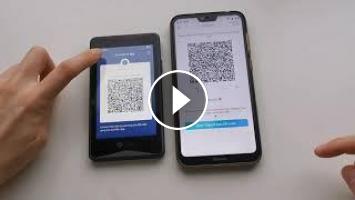
This video shows how the staking of ATOM can be done easily on the ELLIPAL. Your ATOM will be cold staked using the ELLIPAL Titan Cold Wallet. Delegate you coins and earn rewards while stay worry-free about the security of your staked coins thanks to the ELLIPAL.
Visit ELLIPAL's website to learn more: www.ellipal.com
Steps:
1. On the App, choose your ATOM account and select "Stake"-and select "Delegate"
2. Choose your delegate nodes, different nodes have different rate of rewards.
3. Enter the amount you wish to stake.
4. Select " Delegate ", a QR code page and transaction information appear, carefully check whether the information is correct. This transaction must be signed by the ELLIPAL cold wallet to complete cold staking process securely.
5. On the cold wallet, select your ATOM account and sign the staking transaction as if you were to sign a normal transaction.
6. Confirm the information is correct again, and then use the App to scan the confirmation QR code of the cold wallet to complete staking process.
Visit ELLIPAL's website to learn more: www.ellipal.com
Steps:
1. On the App, choose your ATOM account and select "Stake"-and select "Delegate"
2. Choose your delegate nodes, different nodes have different rate of rewards.
3. Enter the amount you wish to stake.
4. Select " Delegate ", a QR code page and transaction information appear, carefully check whether the information is correct. This transaction must be signed by the ELLIPAL cold wallet to complete cold staking process securely.
5. On the cold wallet, select your ATOM account and sign the staking transaction as if you were to sign a normal transaction.
6. Confirm the information is correct again, and then use the App to scan the confirmation QR code of the cold wallet to complete staking process.
- Category
- Crypto Wallets
- Tags

Be the first to comment
Up Next
Autoplay
-
10:09

Ellipal Titan Cold Hardware Crypto Wallet - New features - Buy Sell DApp DEX Stake - Giveaway ?????
-
17:06
Hardware Wallet Tutorial | Cold Stake Crypto for PASSIVE INCOME
-
00:56
Hardware Cryptocurrency Wallet - Ellipal Cold Wallet Gold Titan, Air-gapped & Internet Isolated, An
-
01:13
Hardware Cryptocurrency Wallet - Ellipal Cold Wallet Gold Titan, Air-gapped & In Review
-
01:30
SAMSUNG CRYPTO WALLET S10. Cosmos (ATOM) Staking Guide | Earn rewards with #Cosmos
-
28:08
ELLIPAL Titan Cold Hardware Wallet Interview - Spark Token Drop - Titan Giveaway!! WOW!!!!! ????????
-
00:54
Hardware Cryptocurrency Wallet - Ellipal Cold Wallet Gold Titan, Air-gapped & Internet Isolated, An
-
06:08
ELLIPAL Titan Unboxing and Review - Crypto Cold Hardware Wallet - XRP VET BTC XLM ETH ++++ ????????
-
03:21
How to exchange on the ELLIPAL Titan Hardware Cold Wallet - Exchanging Bitcoin to OKB
-
01:13
Hardware Cryptocurrency Wallet - Ellipal Cold Wallet Gold Titan, Air-gapped & In
-
02:56

WESLER.biz New Bitcoin Mining 2020 | 100 GH/s Bounce | Free BTC Mining Cloud mining legit 2018
-
02:45

Bitcoin Mining site_free bitcoin mining site_1 Day earning upto $10 2pac Miner
-
01:33

How to Hack Bitcoin Wallet Hack Coinbase wallet Bitcoin Generator July 09 2020
-
00:21

NEW BEST FAST FREE BITCOIN MINING SITE 2021 + Legit
-
07:28

New Free Bitcoin Cloud Mining Site 2020 | Best Bitcoin Mining Site| Earn bitcoin Fast And Easy 2020
-
01:41

BITCOIN GENERATOR FREE BITCOIN MINER 2021 100% LEGIT BITCOIN MONEY ADD
-
08:33

Make $4019+ EVERY DAY With These Bitcoin Mining Apps (New Method 2021)